

Experts Warn Christmas Travelers of Cybercrime Spike
People tend to let their guard down more around Christmas and the New Year, rushing to get to family and friends, with long waits away from home where we go online to stay connected. This is often the time when hackers strike.
Cybercriminals routinely exploit the surge in holiday travel, using tactics such as the “evil twin” Wi-Fi scam and “shoulder surfing” to access travelers’ personal information when using public transport. Christmas is also a time when many people are receiving new devices and re-selling old ones, which also creates an environment in which potential data compromises can thrive. Considering the seasonal surge of cybercriminal activity, IT Asset Decommissioning Providers at Alta Technologies have provided some essential safety tips on how to effectively protect your data over the Christmas period.

Be cautious while using public Wi-Fi
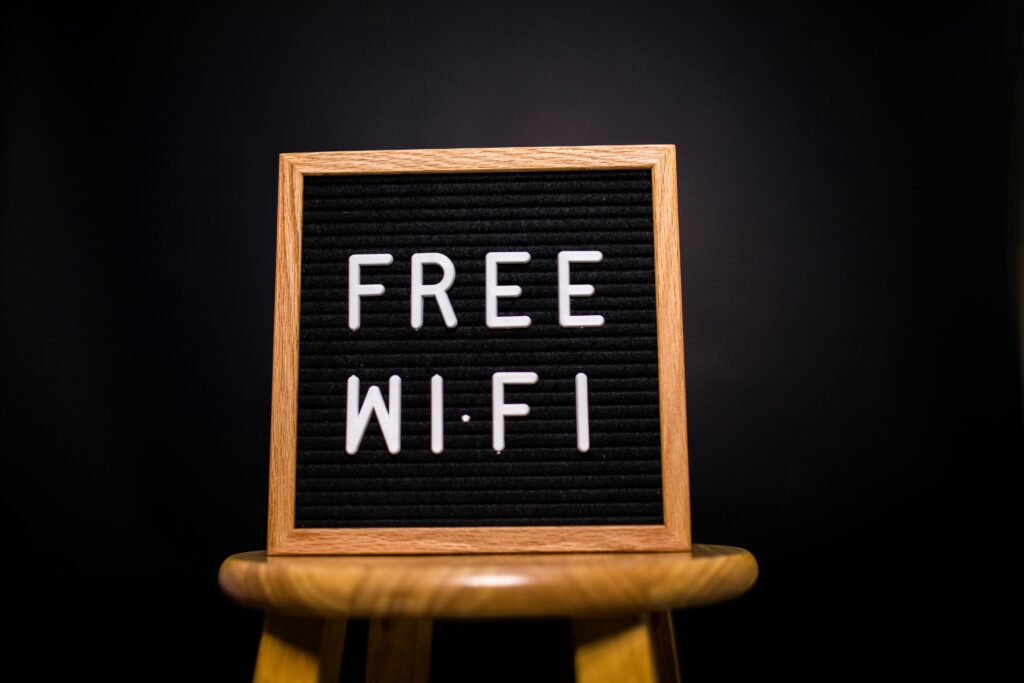
Now that we’re in the lead-up to Christmas, many people will be arranging their travel plans ahead of the festive break. However, it’s important to flag that airports and train stations can often become hotspots for cybercriminal activity, particularly during busy travel periods. Using public Wi-Fi in busy areas can make your data extremely vulnerable to cybercriminals with the right tools.

Hackers on the same network can easily access sensitive information, such as banking details, login information, and personal messages. This is why it’s essential to avoid logging into banking apps or email accounts while using public Wi-Fi. If you must go online, always use a trusted VPN to keep your information encrypted and only browse websites that are verified with URLs beginning with HTTPS.
Ensure that your devices do not automatically connect to unsecured public hotspots by disabling the “Connect Automatically” feature.
Taking the time to set up strong passwords is another key defense against any data interceptions via public Wi-Fi. Be sure that all passwords on your device contain a mix of uppercase and lowercase letters, numbers, and special characters to make them harder for hackers to intercept. Setting up two-factor authentication can also provide more defense against these kinds of scams.

Carefully check Wi-Fi names before connecting
Often referred to as the “evil twin” scam, this is another scam that’s likely to target people traveling over Christmas and New Year. This is when hackers create fake public Wi-Fi names or hotspots that mirror the location that you’re in. For example, they may use the name “Airport_Free_WiFi” instead of “Airport-Free-WiFi.”
Because the name appears familiar, travelers often connect without thinking. Once you’re on the hacker’s network, they can monitor everything you do: capturing passwords, reading emails, intercepting banking details, or even installing malicious malware.
This is why it’s so crucial to carefully inspect the Wi-Fi name before joining and check with any staff if you’re unsure of which Wi-Fi to connect to. If you see any Wi-Fi or hotspot names that are eerily similar, such as one with an extra letter or number, then this is often a sign of cybercriminal activity.
Avoid checking work emails while on the go
When using public transport, sensitive information can be exposed more easily than people realize. The rise of “shoulder surfing” has meant that cybercriminals can now easily intercept sensitive information just by looking over at your screen.
If your screen isn’t protected, a single opened email could unintentionally reveal private company information, such as confidential messages, client data, or banking information. For these reasons, it’s best to avoid handling sensitive work material on public transport over the festive period.
If you do need to check any information, then ensure that your screen isn’t in clear view and avoid connecting via public Wi-Fi. Instead, ensure that your device has a secure connection and use a VPN when possible.

Ensure that your devices are up to date
With many people relying on their phones for travel tickets, navigation, and online shopping over Christmas, keeping devices updated is more important than ever.
Software updates released during the winter period often include urgent security fixes that protect against newly discovered threats. Installing them promptly ensures your phone has the latest defenses, reducing the risk of malware infections, data leaks, or hackers exploiting outdated software while you’re traveling or using unfamiliar networks.
When a phone falls behind on essential updates, this can place your data at a significant risk. Failing to update your device regularly means that it is missing critical security patches designed to fix newly discovered vulnerabilities, which cybercriminals will easily take advantage of.

Always check your phone’s privacy settings after an update
While it’s essential to keep your phone up to date to protect against hackers, it’s also important to always review your device’s privacy settings after completing an update. For example, the recentiOS 26 update made essential updates to devices’ map settings. One change included keeping track of your “Visited Places.”
While Apple cannot access this, it’s important that you review this setting if you’d prefer your phone not to store your location history, especially if you’re using a shared family device. You can visit the Settings app to turn off “Precise Location” and “Visited Places.”
The new update also meant that iPhones can now learn the routes of your daily commutes to notify you of anything that may impact your journey, such as traffic updates. However, if you’d rather not have this stored, then you can also disable this via the System Services part of the Settings app.
After an update, it’s also essential to check what precise information each app has access to, as this may change after a big settings update.
Advice from a pro
Corey Donovan, the President of Alta Technologies, has commented on how to protect yourself from data breaches over Christmas: “Christmas is a hugely popular time to travel, which is why data breaches may be more likely to occur when using public Wi-Fi networks over the festive period. Cybercriminals know that airports, train stations, and hotels are packed with busy travelers who are relying on public Wi-Fi, checking work emails on the go, and using their phones for everything from boarding passes to banking.
“This combination creates the perfect conditions for attackers to intercept data or trick people into connecting to fake networks. Hackers deliberately target festive travelers because they’re often rushed, tired, and away from secure home or office networks, making their devices less secure than usual.
“Because of this, it’s essential that you’re not letting your guard down while traveling over Christmas. Avoid checking any sensitive information while on public Wi-Fi, such as banking details or confidential work information. Ensure that your phone is correctly up to date with the latest software and installed with multi-factor authentication software to add an additional layer of protection from hackers.
“As many people will be receiving new phones for Christmas, it’s also important to ensure that you promptly review your privacy settings. This prevents your device and any apps from gaining access to sensitive information, such as location history or information regarding your daily commute. As soon as you receive a new device, ensure that you have set up all of your online accounts with strong passwords, containing a combination of capital letters, numbers, and symbols.
“If you’ve been gifted a new device over Christmas and are planning on selling your old one, then ensure that all sensitive information is completely removed from your phone. As phones continue to get more and more advanced, this also means that they can store more personal information than you may initially realize, ranging from passwords to banking information.
“Before selling an old device, ensure that you’ve signed out of any accounts, removed any linked payment cards, and have performed a full factory reset.
“People often let their guard down over the festive period, which is why it’s so essential that you’re staying informed about the latest security risks and ensuring that your device is as protected as possible from any potential threats.”
This information was provided by IT Asset Decommissioning Providers at Alta Technologies.